Prerequisites
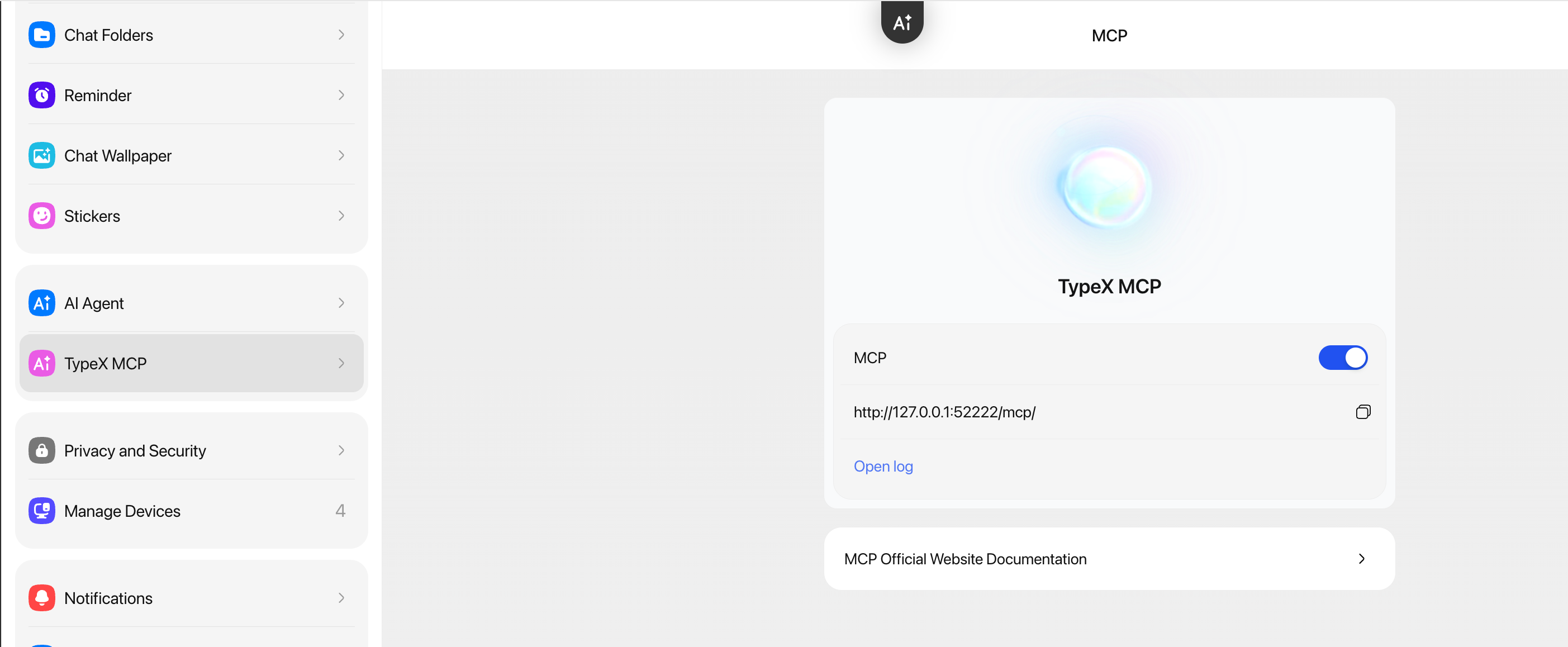
Enable MCP in TypeX
Steps:
-
Open the TypeX desktop app
-
Go to Settings → MCP and enable the MCP service
-
The default endpoint is
http://127.0.0.1:52222/mcp/
Once enabled, your AI can operate TypeX on your behalf.
Next: Configure Your AI Tool
With TypeX MCP enabled, continue to Configure Agent MCP & Skill for per-agent JSON config (Claude Code, OpenClaw, Hermes, Codex, VS Code, and more) and Skill file import.
🎉 Congratulations! You've enabled TypeX MCP. Head to Configure Agent MCP & Skill to connect your AI assistant.